
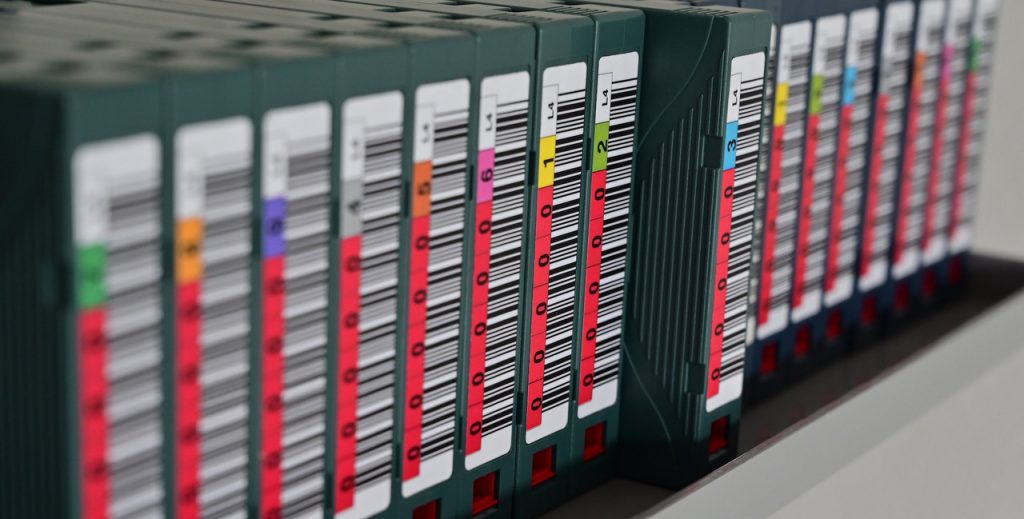
Every LTO tape drive comes with a datasheet listing a maximum native transfer rate. These numbers are real — but they describe a theoretical ceiling, not a realistic operating point. In practice, every installation falls short of them. The only question is by how much.
This article explains the reasons why.
Currently Available LTO Generations (as of 2025/2026)
Three LTO generations are currently on the market. LTO-7 remains technically available but is approaching end of life.
| Generation | Native Speed | Compressed Speed (2.5:1) | Native Capacity | Backward Compatible With |
|---|---|---|---|---|
| LTO-8 | 360 MB/s | 900 MB/s | 12 TB | LTO-7 (read/write) |
| LTO-9 | 400 MB/s | 1,000 MB/s | 18 TB | LTO-8 (read/write) |
| LTO-10 | 400 MB/s | 1,000–1,200 MB/s | 30 TB / 40 TB | none |
The examples in this article use LTO-9 as the reference point. The same principles apply to all generations — but the faster the drive, the greater the absolute impact of each negative factor. A bottleneck that costs 50 MB/s on an LTO-8 system costs the same 50 MB/s on an LTO-9 system, but represents a larger share of a higher theoretical ceiling.
A Note on Which Speed We Are Talking About
All analysis in this article is based exclusively on the native (uncompressed) transfer rate — 400 MB/s for LTO-9. The compressed figure of 1,000 MB/s is deliberately excluded, for two reasons.
First: in media and archive environments, data is already compressed. H.264, H.265, JPEG, camera RAW formats, ZIP archives, and encrypted files yield little or no additional compression when the tape drive’s hardware compressor processes them. The 2.5:1 ratio that produces the 1,000 MB/s figure simply does not materialize with this type of content. The native rate is the only number that translates into reality.
Second: including the compressed rate makes every negative factor look proportionally worse, not better. If the theoretical ceiling is raised from 400 MB/s to 1,000 MB/s, but the actual throughput in a given environment is 180 MB/s, the gap between spec and reality widens from 55% to 82%. Citing compressed speeds in the context of performance analysis serves only to make the shortfall appear more dramatic — or to obscure it by making 180 MB/s sound like it is still “close to” a number no real workload ever reaches.
The native rate is the honest baseline. All deviations discussed below are measured against it.
The Theoretical Maximum Is Just That: Theoretical
The rated 400 MB/s for LTO-9 is measured under ideal laboratory conditions: a single large file, perfectly compressible data, a lossless data feed, a full-height drive, and hardware that can sustain the required throughput without interruption. None of these conditions exist simultaneously in a production environment.
Although theoretically 400 MB/s is possible, actual LTO-9 write speeds under realistic conditions are more likely to be 300–370 MB/s — and network latency and server load reduce write speed further.
That gap between spec and reality is not a defect. It is the cumulative effect of the factors described below — all of which reduce throughput, none of which increase it beyond the rated maximum.
1. The Source Cannot Keep Up
An LTO-9 drive writes at the speed it receives data. If the source — a disk array, NAS, or backup server — cannot deliver data at 400 MB/s continuously, the drive slows down to match. Common bottlenecks on the source side include spinning HDD arrays with insufficient IOPS, 1 GbE network connections to NAS systems (theoretical max: 125 MB/s), CPU saturation on the backup server, and file system overhead when processing large numbers of small files.
Backup software is gated largely by environmental factors. If the system is seeing significant deviation from the LTO-9 drive’s 400 MB/s, the bottleneck typically lies in the host environment, not the drive itself.
2. Small Files: Filesystem Overhead on the Source
Tape is a sequential medium optimized for writing large, contiguous data. In P5’s native backup format, the tape drive always sees a continuous stream — file count has no direct impact on tape throughput. However, the overhead appears on the source side: every file requires an open, stat, and read call on the source filesystem. For a directory containing hundreds of thousands of small files, this metadata traversal accumulates into a measurable reduction of the data rate that P5 can feed to the drive.
A workload of 500,000 small project files, thumbnails, or audio stems will therefore saturate the source filesystem and backup server CPU before it saturates the tape drive — even if the total data volume is the same as a handful of large MXF files.
This distinction matters for LTFS as well, but there the file count problem is compounded further: LTFS writes per-file markers and block alignment padding directly to tape, meaning the tape drive itself is additionally impacted — not just the source side. The next section covers this in detail.
3. LTFS Adds Its Own Layer of Overhead
LTFS (Linear Tape File System) formats a tape cartridge like a file system, making it mountable on any compatible operating system without proprietary software. That portability comes at a throughput cost that does not exist when writing with purpose-built backup software in native tape format.
Index writes interrupt the data stream
Every LTFS volume maintains an XML-based index of all files and metadata. This index must be written to tape at unmount, and can be configured to sync at intervals during a session. Each sync requires the drive to seek to the index partition, write the updated index, and then reposition to resume writing.
On a densely populated LTO-9 tape (18 TB, many files), the index itself becomes large, and each write adds measurable latency. LTFS Format Specification 2.5 (ISO/IEC 20919:2021) introduced an incremental index approach that records only changes between full syncs, reducing but not eliminating this overhead. A full index write at unmount remains mandatory regardless.
File markers and block alignment
A significant drawback of LTFS is the loss of read and write performance caused by additional file markers, the mandatory alignment of files to block boundaries, and the forced updating of the index. These elements result in very inefficient use of tape capacity, especially for smaller files.
Small files compound the problem
LTFS is not suitable for workloads dominated by small files. Seek time during readback can be up to a minute per file, making access times extremely high. The standard recommendation is to create a tar archive first and write that to the LTO-9 tape via LTFS, rather than writing individual small files directly.
When LTFS is the right choice anyway
LTFS is the right format for specific use cases: large-file sequential workflows (video originals, RAW image sets) written once and read back as complete sets, and data interchange scenarios where tapes must be readable across different systems without shared proprietary software. For these cases, the overhead is manageable and the portability benefit is real. For everything else, a native backup format will deliver better throughput.
One further caveat worth noting: LTFS also allows a tape to be used as a directly mounted filesystem — browsing and opening individual files via Finder or Explorer. In that access pattern, LTO seek times of 10 to 100 seconds per file become the dominant factor, making the throughput considerations discussed above largely irrelevant compared to the latency problem. This use case opens an entirely different set of performance issues that go beyond the scope of this article.
4. Diagnosing Performance Problems: A Structured Approach
Knowing the theoretical factors is one thing. Determining which of them is responsible for a specific performance shortfall in a specific environment requires a methodical approach.
The scenario
Consider a typical setup: a P5 backup job reading from a NAS volume over a 10 GbE network and writing to an LTO-9 drive. The 10 GbE interface has a theoretical maximum of 1,250 MB/s, but practical TCP throughput for large sequential reads from a well-configured NAS is realistically around 800–900 MB/s — well above what LTO-9 needs. With the drive’s native rate at 400 MB/s, a reasonable real-world expectation for this configuration is around 250 MB/s, accounting for typical software overhead and speed matching.
If the actual job throughput is only 120 MB/s, something is wrong. The question is what.
Why guessing is inefficient
A production environment has too many variables active simultaneously to isolate any one cause by observation alone. Network, NAS, HBA, OS scheduler, backup software, file structure, tape, drive firmware — any of these could be the bottleneck, and several could be contributing at once. Changing one setting and re-running a full production job is slow, and the result still carries all the noise of the other variables.
The correct approach is to build a controlled testbed, establish a baseline under optimal conditions, and then introduce variables one at a time.
The testbed: starting from the best possible baseline
The goal of the initial testbed is to eliminate as many potential bottlenecks as possible, establishing a clean reference point for what the drive and software can actually deliver on this specific hardware. A minimal effective configuration:
- Current server hardware with at least 8 GB RAM and 2 cores, running no other applications during the test
- OS installed on NVMe
- P5 installed on the same NVMe
- Test data stored on a separate NVMe volume (not the OS drive)
- A dedicated NVMe volume as the restore target — separate from both the OS and the source data
- A single LTO drive connected directly to a dedicated SAS HBA — no expander, no shared bus
- 1 TB of test data consisting of large media files or other already-compressed formats (representative of the real workload)
- A P5 Backup Pool with a Backup Plan configured for a full backup of the test data. A Backup Plan (as opposed to an Archive Plan) excludes additional overhead such as checksum generation and proxy creation. Since P5 Backup does not support LTFS, a native tape format is implicit and does not need to be configured separately.
This removes the NAS and the network entirely. The data path for backup is: NVMe → P5 → SAS HBA → LTO-9 drive. For restore: LTO-9 drive → SAS HBA → P5 → NVMe. Any remaining shortfall from the expected ~350–370 MB/s at this stage points to a local issue: HBA configuration, driver, OS scheduling, P5 settings, or the drive itself.
Measuring correctly
P5’s job monitor shows a throughput indicator during the backup, but the definitive measurement is the total job duration. Divide the data volume by the net backup time — excluding the job preparation phase (tape mount, positioning, initialization) which can account for 30–120 seconds depending on the tape’s current position.
For 1 TB of test data at 350 MB/s, the expected backup time (excluding preparation) is approximately 48 minutes. At 120 MB/s, the same job takes approximately 2 hours 20 minutes. The difference is unambiguous.
Successive introduction of variables
Once the baseline is established, variables are introduced one at a time, re-running both the backup and a full restore after each change and recording the result:
- Replace NVMe source with the production disk storage (local HDD RAID, SAN, etc.) — isolates storage read I/O as a factor
- Replace NVMe restore target with the production restore destination — isolates storage write I/O as a factor; this is tested separately from the source because write performance is often significantly lower than read performance on the same hardware
- Add the network: install P5 as a client on a network server or NAS and read the test data from there over 10 GbE — isolates network read throughput; the P5 agent running directly on the source system avoids NFS/SMB protocol overhead and gives the cleanest possible network read result
- Optional — test NFS/SMB as an additional variable: back up the same data via a mounted network share instead of the P5 client — any throughput drop compared to step 3 is directly attributable to the file sharing protocol overhead
- Restore over the network to the production NAS — isolates network write throughput and NAS write performance separately from read performance
- Switch to the production NAS path (if different, e.g., via a storage gateway or different switch) — isolates network topology
- Run P5 on the production server instead of the test server — isolates server hardware and OS configuration
- Run during production hours with other processes active — isolates resource contention
At each step, if throughput drops materially relative to the previous step, the variable just introduced is a contributing factor. Testing backup and restore separately at each stage is important — a bottleneck that only affects writes will be invisible in backup measurements and only appear during restore.
Why restore is often slower than backup — and how to find out
A common customer observation: backup runs at expected speed, but restore is significantly slower. The cause is almost always on the write side of the restore path, not the tape.
During backup, P5 reads from a filesystem and writes a sequential stream to tape. The tape is the bottleneck candidate. During restore, P5 reads sequentially from tape — which continues to work well — but writes to a filesystem. That filesystem write path has its own constraints:
- IOPS-limited storage: a NAS with spinning disks may have sufficient sequential read bandwidth but hit its IOPS ceiling when P5 writes many individual files during a restore. The tape drive throttles via speed matching to match the slow write destination.
- Asymmetric NAS performance: many NAS systems and RAID configurations read significantly faster than they write. RAID-6, for example, carries a write penalty that does not apply to reads.
- Cold restore target: the backup source often benefits from filesystem caches built up over normal use. A fresh restore target — an empty directory, a newly provisioned volume — has no such cache advantage.
- Different destination than source: restoring to a different server, share, or volume than the original backup source removes any assumption of equivalent performance.
- Multiplexed backups: P5 supports writing multiple backup jobs to the same tape simultaneously (multiplexing). This improves write throughput by combining several data streams into a single continuous tape stream. However, the data blocks of the individual jobs are interleaved on the tape rather than contiguous. During restore, the drive must reposition between blocks belonging to different jobs, which significantly reduces restore throughput compared to a non-multiplexed backup of the same data. This is not a configuration error — it is an inherent trade-off of multiplexed writing that should be considered when restore time is a critical factor.
In the testbed, restoring to a local NVMe volume eliminates all of these variables simultaneously. If backup and restore both run at ~350 MB/s to and from NVMe, but restore to the production NAS is significantly slower, the NAS write performance is the confirmed bottleneck — not the tape, the drive, or P5.
What to look for at each stage
At the NVMe baseline, throughput significantly below 350 MB/s for both backup and restore suggests a local bottleneck: verify that the SAS HBA is not shared with other devices, check HBA driver version, and confirm the drive firmware is current. If backup is fast but restore to NVMe is slow, suspect a P5 restore configuration issue or a driver problem affecting write performance.
When replacing NVMe with spinning disks, a drop is expected and normal. The question is whether it drops below the disk array’s measured sequential read and write speeds, which can be verified independently with dd oder fio. A gap between disk capability and P5 throughput points to filesystem or I/O scheduler issues — or a higher small-file count than expected.
When adding the NAS over 10 GbE, measure NAS read and write performance independently before running P5 jobs. A tool like rsync or a simple cp of a large file gives a reliable reference point. If P5 backup matches the NAS read speed but restore falls well below the NAS write speed, the NAS write path — not the tape — is the bottleneck.
The file structure problem — and why it affects P5 differently
One result that sometimes surprises: the testbed with 1 TB of large media files performs well, but the production backup of a real project directory — nominally the same size — takes noticeably longer.
It is important to distinguish what is actually happening here. P5 writes to tape as a continuous stream, regardless of how many individual files the backup contains. The tape throughput itself is not degraded by file count — P5’s native format does not write per-file markers or alignment padding the way LTFS does. The drive sees a stream and writes accordingly.
What does increase with file count is the overhead on either side of that stream:
- Filesystem operations on the source: every file requires an open, stat, and read call. For 500,000 small files, this metadata traversal adds up — not on the tape, but on the NAS or disk volume being read, and on the CPU of the backup server.
- Final indexing in P5: after the backup completes, P5 updates its catalog with the backed-up file list. For a directory with a very large number of files, this indexing step can add time to the overall job duration — time that is distinct from the actual tape write phase.
When measuring backup performance by total job duration, both of these can make a high-file-count job appear slower than its tape throughput actually was. If this discrepancy appears, separating the tape write phase from the indexing phase in the job log gives a clearer picture of where the time is going.
Zusammenfassung
The LTO-9 datasheet says 400 MB/s native. Every factor below moves the needle in one direction only.
| Factor | Why It Reduces Throughput |
|---|---|
| Slow source I/O / network | Hard ceiling — LTO-9 drive throttles down to match incoming data rate |
| Many small files (native format) | Filesystem overhead on source and P5 indexing — tape throughput itself is unaffected |
| LTFS: index writes | Periodic and unmount-time interruptions of the data stream |
| LTFS: file markers / alignment | Overhead per file — severe with small file workloads |
| LTFS: seek time | 10–100 sec per seek; random access is slow by design |
| — |
What Happens When the Minimum Is Undercut: Speed Matching and Backhitch
A slow data source does not immediately stop a backup. Modern LTO drives respond by dynamically adjusting their tape speed to match the incoming data rate — a mechanism known as speed matching or data rate matching. This reduces the frequency of backhitch events compared to older drive generations, but it does not eliminate them.
Speed matching has a lower bound. According to IBM’s official drive specifications:
| Drive | Speed Matching Range (native) |
|---|---|
| LTO-8 | 112–360 MB/s |
| LTO-9 | 180–400 MB/s |
| LTO-10 | 180–400 MB/s (not officially published; same native rate as LTO-9) |
If the incoming data rate falls below the minimum threshold, the drive can no longer compensate by slowing the tape further. The tape stops, the drive waits for the data buffer to refill, then repositions the tape a short distance back and resumes writing — a backhitch (also known as shoe-shining). The data is written correctly, but throughput drops sharply.
A concrete example: a 1 GbE network connection has a real-world throughput of around 100–110 MB/s — already below the LTO-9 minimum of 180 MB/s. Any LTO-9 installation reading from a source over 1 GbE will backhitch continuously, regardless of how well everything else is configured.
Note: Falling below the minimum streaming rate does not cause immediate damage or data loss. What it does cause is a chronically inefficient operating mode: increased mechanical wear on the head assembly and tape transport mechanism from repeated stop/reposition cycles, higher error correction activity as the drive repeatedly repositions and realigns, and reduced media efficiency as tape is consumed by repositioning overhead rather than user data. A system that runs in this condition persistently will see shorter drive and media service life over time — even if individual backups complete successfully.
The minimum threshold increases with each generation: the faster the drive, the higher the floor, and the more demanding the requirements on the host environment.
Factors Outside the Scope of This Article
The factors discussed above share a common characteristic: they are all operational — caused or influenced by the environment the user builds and maintains. A slow NAS, a congested network, a high file count, an LTFS pool — these are conditions that exist in a running installation and can be measured, isolated, and addressed.
The following factors also affect LTO throughput in principle, but lie outside this scope:
Drive form factor (full-height vs. half-height): Full-height drives reach higher peak speeds within the same generation. This is a hardware procurement decision, not something that changes in a running installation. It only becomes relevant when operating at the very upper limit of what the environment can deliver.
LTO generation (e.g., LTO-10 vs. LTO-9): LTO-10 offers no native speed improvement over LTO-9. Relevant as a purchasing decision, not as a factor in an existing installation.
LTO-9 media optimization: A one-time characterization pass required on new, unwritten LTO-9 cartridges. Affects only the first write session on a fresh tape and has no bearing on ongoing backup performance.
Specifications sourced from lto.org and IBM manufacturer announcements (2025).

